Model Upload Area (My AI Models)
General Information
From the “My AI Models” page, users can upload AI models to the system and manage existing models. The list displayed on this page shows all models uploaded by the user along with the following information:
- Model name
- Model status
- Upload date

Uploading a New Model (Via UI)
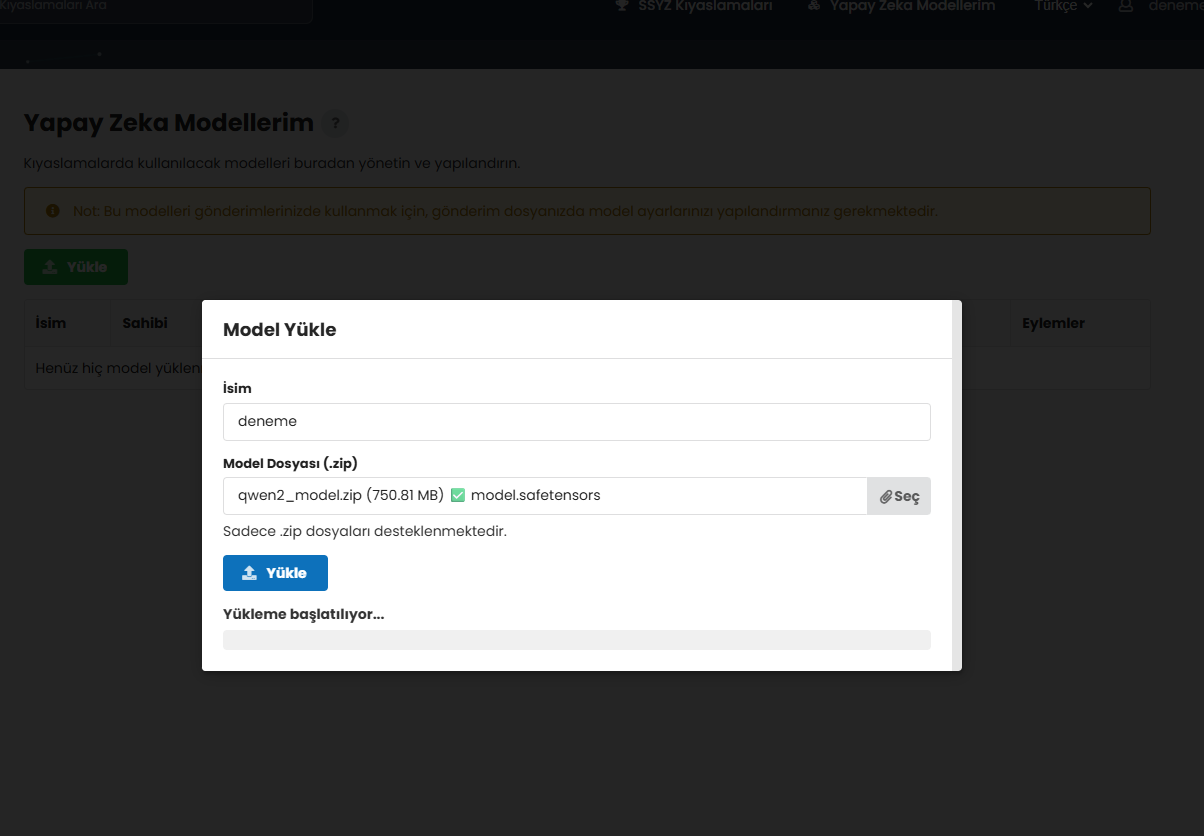
To upload a new model, follow these steps:
- Click the “Upload” button on the Models page.
- A modal window containing the upload form will open.
- Fill in the required fields, select the model file, and click “Save.”
Model File Requirements
- Only
.zipfiles are supported. - The ZIP archive must contain all files required for the model to run.
- Files must be placed in the root directory of the ZIP archive (no folder structure inside the ZIP).
- Files must follow the Hugging Face format.
Your model ZIP file must include the following:
Required Files
- config.json – Model configuration file
-
Model weights – At least one of the following:
-
pytorch_model.binormodel.bin(PyTorch models) *.safetensorsfiles (SafeTensors format)tf_model.h5(TensorFlow models)flax_model.msgpack(Flax/JAX models)
Prepare Your Model
Create a ZIP file containing your model files:
# Example structure inside the ZIP:
my-model/
├── config.json          - Required
├── pytorch_model.bin    - At least one weight file is required
├── tokenizer.json
└── vocab.txt
Error Cases
- If an error occurs during upload, an informative warning message will be displayed describing the issue (e.g., the same model has already been uploaded, the file content is detected as malicious, etc.).
After Upload
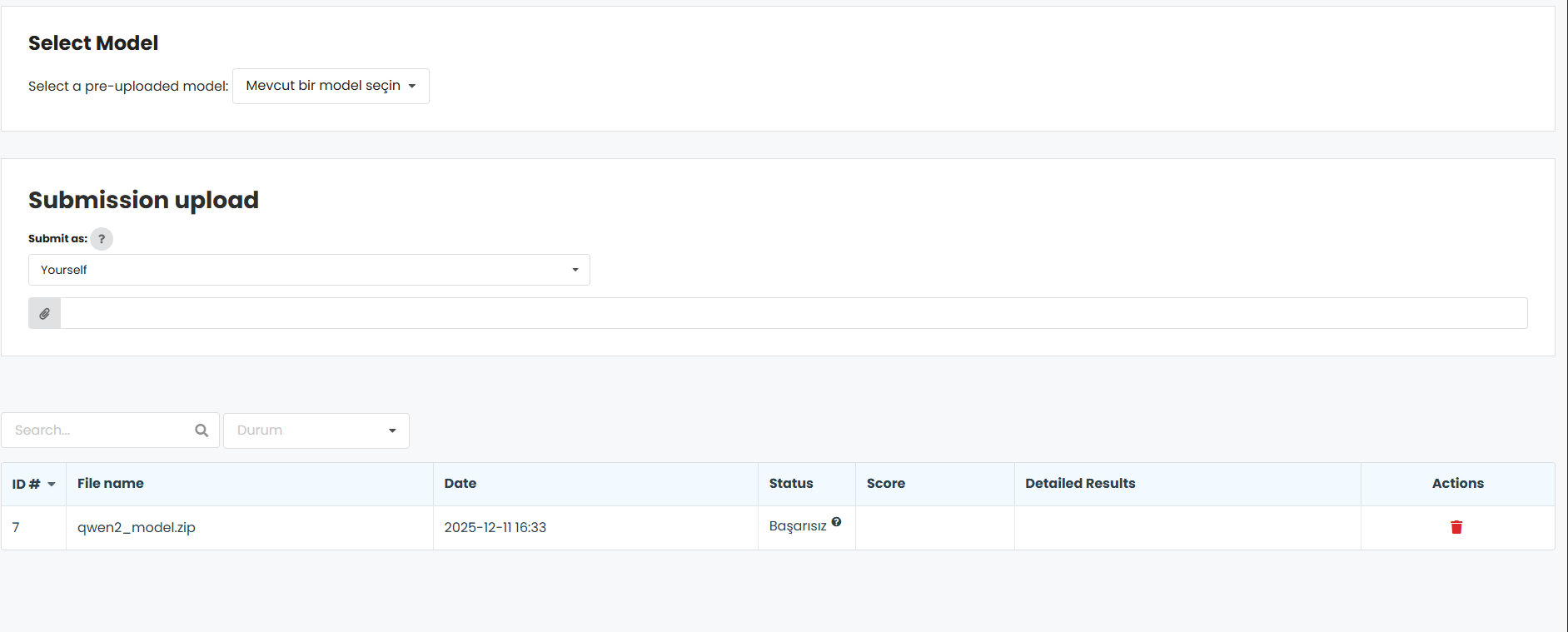
- Once the upload is complete, the modal window will close and the model list will be automatically refreshed.
- Users can view and manage their uploaded models from the list.
Uploading a Model via API (POST models/api/upload_with_code)
What You Need
Before you begin, make sure you have the following:
- Invitation code – Provided by the platform administrator and entered during user registration
- A registered account – An account created using the invitation code
- Your model as a ZIP file – Must be in Hugging Face format (see below)
Model Requirements
Your model ZIP file must include:
Required Files
- config.json – Model configuration file
-
Model weights – At least one of the following:
-
pytorch_model.binormodel.bin(PyTorch models) *.safetensorsfiles (SafeTensors format)tf_model.h5(TensorFlow models)flax_model.msgpack(Flax/JAX models)
Quick Start – 3 Simple Steps
Step 1: Prepare Your Model
Create a ZIP file containing your model files:
# Example structure inside the ZIP:
my-model/
├── config.json          - Required
├── pytorch_model.bin    - At least one weight file is required
├── tokenizer.json
└── vocab.txt
Step 2: Obtain Your Invitation Code
You should have received an invitation code like the following:
89QF19FUPU8H2ZFP
This is the code you used to register your account.
Step 3: Upload Your Model
Choose your preferred method below.
Upload Method
curl -X POST "https://your-platform.com/models/api/upload_with_code" \
  -H "Authorization: YOUR_INVITATION_CODE" \
  -F "name=My Model Name" \
  -F "file=@/path/to/model.zip"
Successful Response
If the upload is successful, you will see the following response:
{
  "status": "ok",
  "uploadId": "a1b2c3d4-e5f6-7890-abcd-ef1234567890",
  "modelName": "MyModel",
  "fileName": "model.zip",
  "fileSize": 1048576,
  "user": "john_doe",
  "userEmail": "john@example.com",
  "userRole": "Premium Academic User"
}
This means:
- Your model has been uploaded
- It is being processed in the background
- You will see it in your model list shortly
Error Messages
If something goes wrong, here is what each error means and how to fix it:
"Invalid invitation code"
Problem: The code does not exist Solution: Check the spelling; codes are case-insensitive
"This invitation code is valid but not yet used"
Problem: No account has been registered yet Solution: Go to the platform’s registration page and create an account using this code first
"This invitation code has been revoked"
Problem: The administrator has revoked this code Solution: Contact your platform administrator to obtain a new code
"User role does not have permission to upload models"
Problem: Your account role does not allow uploads Solution: Contact the administrator to upgrade your role
"Only .zip files are supported"
Problem: Incorrect file type
Solution: Ensure your file has a .zip extension
"ZIP does not contain config.json"
Problem: Required configuration file is missing
Solution: Add a config.json file to your model (required for Hugging Face format)
"ZIP does not contain model weight files"
Problem: No model weights found Solution: Add at least one of the following:
pytorch_model.bin, *.safetensors, tf_model.h5, or flax_model.msgpack



SSYZ Benchmark Platform
SSYZ Benchmark Platform is an enterprise platform that enables secure and comparable evaluation of large language models on the SSYZ network infrastructure operated under SSB coordination.
Presidency of Defense Industries - Artificial Intelligence Center (SSYZ)